Jennifer Lambert

A Sacred Balance

Visit Us On FacebookVisit Us On PinterestVisit Us On InstagramVisit Us On Linkedin
  • Homeschool
    • Book Lists
    • How Do We Do That?
    • Notebooking
    • Subjects and Styles
    • Unit Studies
  • Travel
    • Europe
      • Benelux
      • France
      • Germany
      • Greece
      • Ireland
      • Italy
      • London
      • Porto
      • Prague
    • USA
      • Chicago
      • Georgia
      • Hawaii
      • Ohio
      • Utah
      • Yellowstone and Teton
  • Family
    • Celebrations
    • Frugal
  • Military Life
    • Deployment
    • PCS
  • Health
    • Recipes
    • Essential Oils
    • Fitness
    • Mental Health
    • Natural Living
    • Natural Beauty
  • Faith
  • About Me
    • Favorite Resources
    • Advertising and Sponsorship
    • Policies
  • Reviews

© 2025Jennifer Lambert · Copyright · Disclosure · Privacy · Ad

Homeschool Programming Review

This blog may contain affiliate links: disclosure.
Please see my suggested resources.

July 22, 2013 By Jennifer Lambert Leave a Comment

Liz and I reviewed KidCoder Web Series from Homeschool Programming.

I have a little web designer!

Homeschool Programming Review

Liz is 12 and the series is recommended for grades 4-12.

From the company: “Our KidCoder Series is geared for 4th-8th grade students who have an interest in computer programming. These courses are lighter, easier and are great for elementary and middle-school students.”

You know your kid’s abilities. There are other advanced options for high schoolers or kids with design experience.

 photo logo_zpsfc09b7b4.jpg

There are two books: beginning and advanced. 2 semesters. But Liz flew through the lessons in book 1 in a couple of days!

KidCoder: Beginning Web Design – First semester course (introduction to HTML and CSS)

Topics Covered in this Beginning Course:

  • Mark-up concepts
  • Website layouts and files
  • Backing up projects
  • Essential HTML symbols
  • Styling of text
  • Using symbols and lists
  • Internal and external hyperlinks
  • Navigation bars and footers
  • Simple CSS effects
  • Spacing and positioning
  • Graphics and image editing
  • Tables

KidCoder: Advanced Web Design – Second semester course (HTML5, CSS3, JavaScript)

Topics Covered in this Advanced Course:

  • Using Komodo Edit
  • HTML5
  • Presentation layers
  • Essential HTML symbols
  • Document Object Model (DOM)
  • Using borders
  • Introductory JavaScript
  • Cascading Style Sheets (CSS3)
  • jQuery
  • Animations and video
  • Using forms
 photo KC_BWD_Cover_MED_zps2e139921.jpg
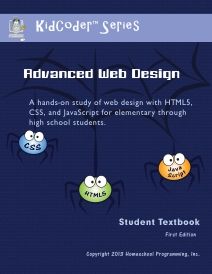
 photo KC_AWD_Cover_MED_zps565e5910.jpg

Instructional DVDs:

 photo KC_WEB_YP_VID_zpsaff72637.png

Liz worked through 13 chapters in book 1. She’s more comfortable now with computers and I let her at it. She loved it. We didn’t even need the DVD’s. She just followed the eBook.
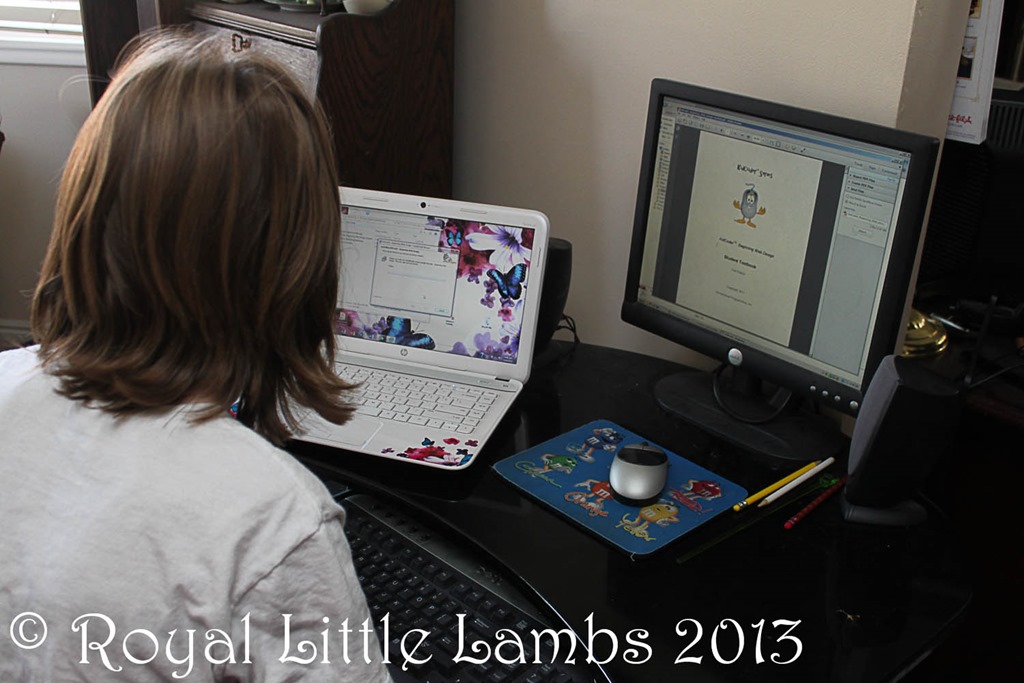
computer coding

So blessed to have a laptop and a desktop so she could read the eBook instructions or watch the DVDs and then do the lessons on the laptop. Worked great! No printing. {But then she figured out she could copy/paste the code and just used the laptop for the rest of the lessons.}
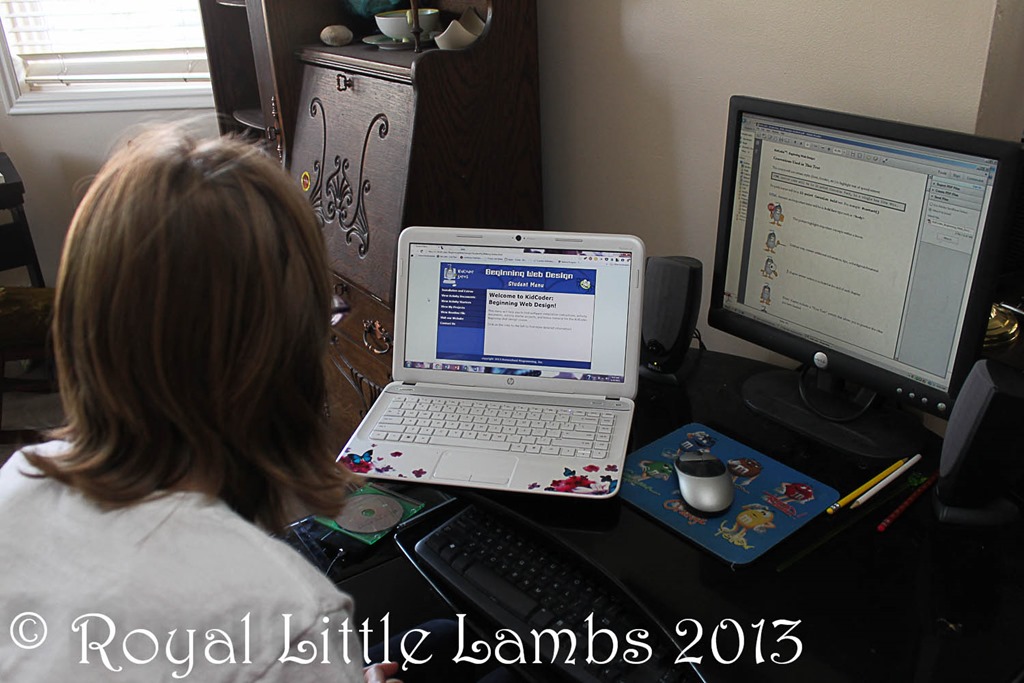
coding

Liz kept calling me over to look at all the little code changes she kept making.

learning to code

She loves the logic in coding. And played with tweaking it and learning what the littlest code changes could do.
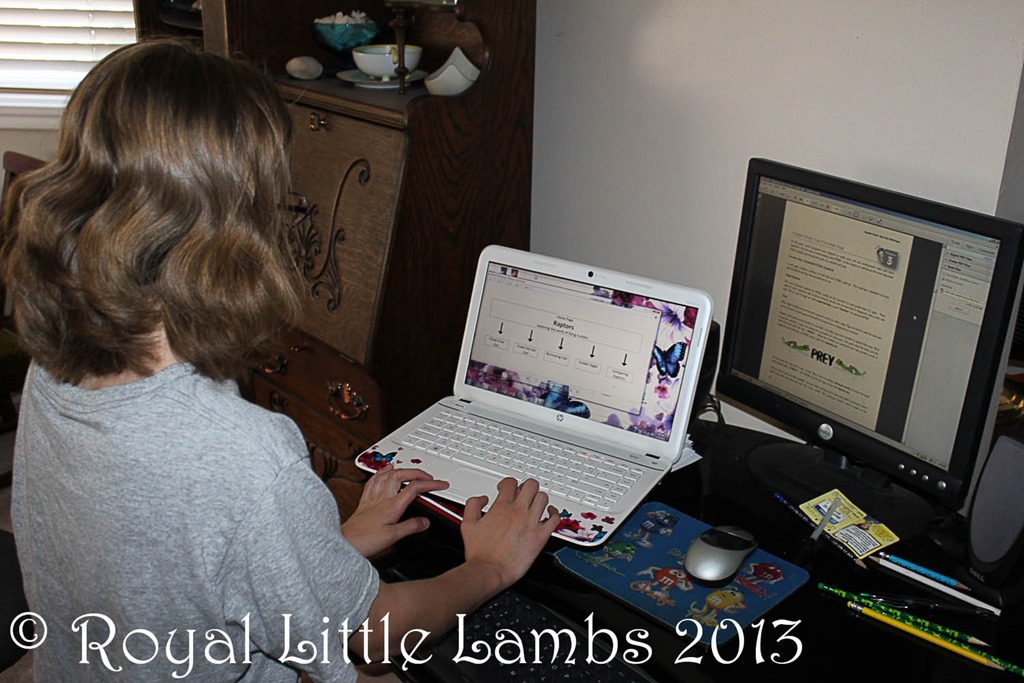
learning coding

Cute! Liz was so excited to see that first code turn into this.

Kid Coder

After we set up Notepad to open correctly in a webpage and as text, she was good to go!

Liz got a little confused because some of the lessons showed different code examples than she had written. Below, it shows <div id=“navigation” and we’d never plugged that in during earlier lessons. We worried we had skipped steps. It worked on her page. I think it’s just showing that different words can be used in code to do similar functions.
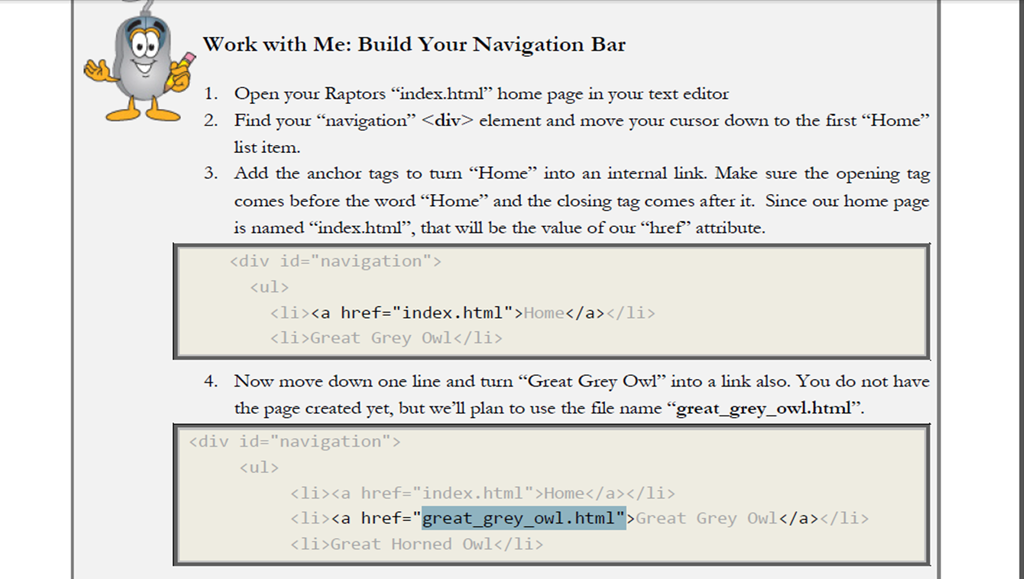
Kid Coder screenshot

I helped Liz understand the difference between an ordered list and unordered list. And she saw it on screen (visual/kinesthetic learner):
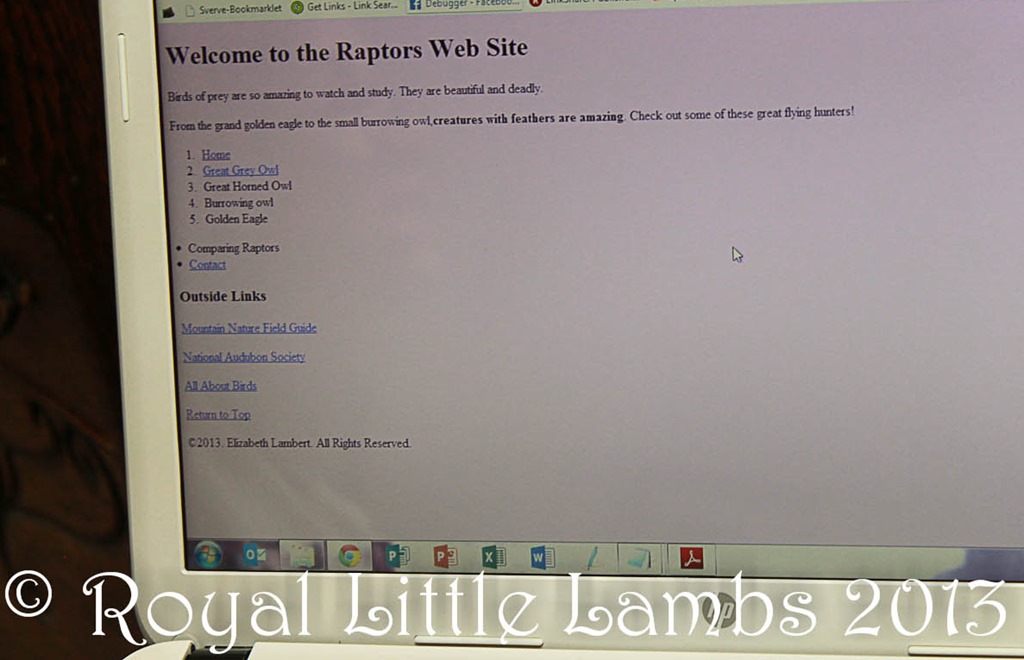
Kid Coding

Liz really enjoyed playing with the fonts and colors – and I loved the CSS and Tables tutorials! Pretty soon, I’ll have my own personal VA! I’m excited for this aspect of Liz’s education.

I look forward to going through the advanced lessons with Liz and updating my sites and learning alongside her! Liz has a good eye and great ideas. She’s so creative! It’s a great beginner’s or refresher course in web design.

I’m very impressed with Homeschool Programming products and the easy to follow instructions. Liz and I are enjoying it immensely. We highly recommend it.

$70.00 KidCoder: Beginning Web Design (Course Only)

$85.00   KidCoder: Beginning Web Design (Course & Video)

$70.00   KidCoder: Advanced Web Design (Course Only) Coming in August!

$85.00   KidCoder: Advanced Web Design (Course & Video) Coming in August!

~Or get the year pack at a discount!~

$120.00   KidCoder: Web Year Pack – (Courses Only) Coming in August!

$145.00   KidCoder: Web Year Pack – (Courses & Videos) Coming in August!

Save $15 through July 31st, 2013, with the coupon code HSB4015.

Photobucket
 photo DisclaimerGraphic1_zpsf612f371.gif
Share
Pin
Share
0 Shares
You might also like:

Filed Under: Schoolhouse Review Crew Tagged With: coding, review, technology

Computer Science for Kids Review

This blog may contain affiliate links: disclosure.
Please see my suggested resources.

April 2, 2013 By Jennifer Lambert 2 Comments

Liz reviewed Computer Science for Kids and very much enjoyed learning Beginning Microsoft Small Basic.

There are 11 lessons. They range from 22-109 pages.

The lessons generally consist of

  • Review and preview
  • Small Basic (lessons)
  • Program (application: actual programming)
  • Summary

Liz quickly became very comfortable with the lessons and completed them all by herself and called me {constantly} to come see her fun little creations.

 photo ComputerScienceForKidsProgrammingTutorialsLogo_zps071e1e50.jpg
Dad downloaded and set up and looked through the curriculum to see what needed to be done. This was outta Mom’s comfort zone! Liz was bored with waiting.

Dad teaching computer coding

Then after it was all ready, Dad showed her how to work the program a bit, and she perked up.

Dad coding

Elizabeth loved learning about the history of computers and programming in the first lessons. I was impressed with this narrative.

It shows pictures of the first computers – nifty. And did you know that BASIC is an acronym? (Beginner’s All-Purpose Symbolic Code) From Class 1: “Small Basic starts with a really simple programming language that gathers inspiration from the original BASIC language. It has no more than 15 keywords and is strictly imperative.”

Small-Basic-definition.png

She likes the “games.” She likes the control and learning how changing just one letter or character can change the whole program. Her analytical mind at work! I love that she is learning about computers. I know my dad is proud (it’s what he wanted me to do!).  It’s great help to her in math since she has to calculate the size of shapes or borders within the graphics.

learning to computer program

Then she was on her own. She was all proud of herself and showing me all these little “games” she wrote.

programmer

She self-corrected her code when they didn’t work just the way she wanted. Dad helped her change them and showed her different options. Then she ran with it.

Dad helping code

I am thankful that we can utilize the kids’ desktop computer and my laptop so Liz could have the lessons up and do her code at the same time. It made it less frustrating for her. And that makes me happy.

coding

The true test is that she can explain to me why the shape is filled in or outlined in a certain color and which code is needed to make it do what she wants!

I noticed yesterday that she’s completed all 11 lessons – the whole book…

Me: “If you like it, I will purchase the next book for you.”

Liz: “I thought you already had the whole program for me. I want it all!”

And that’s a good review.

A typical lesson only takes a few minutes (tweaking and playing can take much longer!) so many colors, choices, sizes, codes…it’s like a new toy! She has this last on her daily list as an incentive to complete her other work!

 photo Beginning-Microsoft-Small-Basic-1937161196-By-Philip-Conrod-and-Lou-Tylee-Cover-Small_zpsb94fb127.jpg

Purchase options

  1. Paperback Textbook Plus and E-Tutorial E-Book Download with Free Shipping Inside the USA*** $59.95
  2. Instant Internet  “Download Only” Digital E-Book Edition with Single User License*** $59.95 {ON SALE FOR $34.95 – SALE PRICE though July 4th, 2013} 
  3. ANNUAL “UNLIMITED USER” School Site License Teacher Edition Digital E-Book Internet Download Only***Sale Price! $199.95
Photobucket
 photo DisclaimerGraphic1_zpsf612f371.gif
Share
Pin1
Share
1 Shares
You might also like:

Filed Under: Schoolhouse Review Crew Tagged With: coding, review, technology

Suggested ResourcesCheckout 51Rakuten Coupons and Cash Back

Archives

Popular Posts

10 DIY Gifts with Essential Oils10 DIY Gifts with Essential Oils
Natural Remedies for HeadacheNatural Remedies for Headache
10 Natural Remedies to Keep on Hand10 Natural Remedies to Keep on Hand
Henna Hands CraftHenna Hands Craft
Homemade Turkey Divan CasseroleHomemade Turkey Divan Casserole
This website uses cookies to improve your experience. We'll assume you're ok with this, but you can opt-out if you wish.Accept Reject Read More
Privacy & Cookies Policy

Privacy Overview

This website uses cookies to improve your experience while you navigate through the website. Out of these, the cookies that are categorized as necessary are stored on your browser as they are essential for the working of basic functionalities of the website. We also use third-party cookies that help us analyze and understand how you use this website. These cookies will be stored in your browser only with your consent. You also have the option to opt-out of these cookies. But opting out of some of these cookies may affect your browsing experience.
Necessary
Always Enabled
Necessary cookies are absolutely essential for the website to function properly. This category only includes cookies that ensures basic functionalities and security features of the website. These cookies do not store any personal information.
Non-necessary
Any cookies that may not be particularly necessary for the website to function and is used specifically to collect user personal data via analytics, ads, other embedded contents are termed as non-necessary cookies. It is mandatory to procure user consent prior to running these cookies on your website.
SAVE & ACCEPT